17 September 2026
Cloud universe, where your business lives, it is not easy to jump & roll into another one. It is more like taking your city to a new hyper-modern city. And definitely a newly facilitated city gonna be more with amazing facilities, security & many more wings to grow.
But, we see so many businesses jump into a cloud migration with closed eyes. Without evaluating the ROI, they replace their cloud. But after the migration is complete, many technology leaders discover that the real equation is much harder.
The cloud bill arrives. Engineering teams spend more time managing services. Some legacy applications behave exactly as they did before. And the expected savings are nowhere near the original business case.
So, was the migration a failure? Not necessarily.
The bigger problem may have been the way ROI was defined in the first place.
A cloud migration should not be judged only by how much infrastructure costs after the move. It should be judged by what the organization can do better because of the move.
So that means asking a whole different question, really:
Did the migration actually make the business faster, more resilient, more scalable, or just plain cheaper?
Sometimes the answer is a solid yes. Other times, the right move is just keeping a workload right where it’s at. And sometimes, the best architecture is neither fully public cloud nor fully on-premises.
On paper, calculating ROI is straightforward:
ROI = (Total Net Benefits – Total Transformation Cost) / Total Transformation Cost × 100
For example, if your total benefits reach $1,710,000 against a $900,000 investment, your ROI lands at 90%: ($1,710,000 – $900,000) / $900,000 = 90%.
The math looks clean, but filling in those variables requires looking well beyond the monthly server bill. If an organization only tallies hardware deprecation, the numbers will look underwhelming. The real financial gains come from the operational momentum you unlock once infrastructure stops getting in the way of development.
There is a persistent assumption in enterprise technology:
If we move from our own data center to the cloud, our infrastructure becomes cheaper and more efficient.
The reality is more complicated.
Flexera’s 2026 State of the Cloud research found that 85% of organizations still consider managing cloud spend a significant challenge, while estimated wasted cloud spend reached 29%. At the same time, 63% of organizations reported having established FinOps teams.
That distinction can completely change a migration strategy. Look at what Walmart did when scaling their digital operations. As online shopping habits rose worldwide, their engineering leadership had to make a hard choice: rely on expensive proprietary hypervisors, hand over control to a public hyperscaler, or build an open, automated platform they could govern themselves. If they tied their growth to per-core proprietary licensing or unbounded egress fees, their infrastructure costs would spike alongside every customer order.
Walmart chose to take control of their digital foundation. They rolled out a massive private cloud powered by OpenStack. The scale speaks for itself:
Look, most leadership teams still think cloud ROI is just about getting a cheaper invoice at the end of the month, but that completely miss the forest for the trees. The real payoff never shows up in a basic hosting discount. It happens when your engineers stop fighting slow infrastructure and start shipping things on time, when a blown-out hard drive doesn’t take down the entire store, and when you can finally scale up for holiday rushes without buying expensive servers that sit cold for ten months.
The biggest wins from ditching legacy gear never show up as tiny discounts on compute hours. They hit where your business actually lives or dies. Look, nobody builds a powerhouse company just by unplugging a few dusty server racks and copying over VM images. It doesn’t work that way. The real payoff is about rewriting how your team operates day to day, letting them build without friction, stay online during chaos, and move way faster than the other guy.
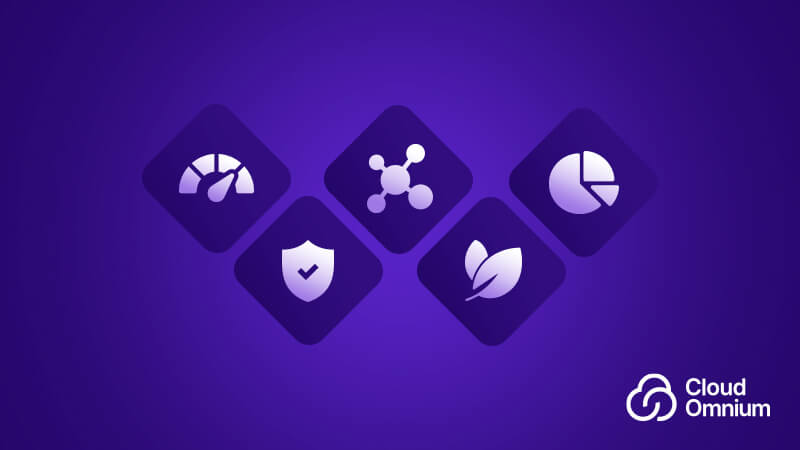
Once the initial migration dust settles down, the real ROI show up across five everyday things:
We often overlook the heavy costs of keeping on-premise hardware running, including server management, cooling systems, physical real estate, and staffing for round-the-clock hardware monitoring. Cloud subscription models absorb those maintenance burdens into predictable operating expenses. The real financial win shows up in how you pay for capacity: instead of buying hardware big enough for your single busiest day of the year and letting it sit idle the rest of the time, you pay only for what you actually use, cutting dead capacity and frequently trimming overall IT spend by 20% to 40%.
In legacy setups, getting a test box ready meant filing tickets, begging for approvals, and waiting weeks for storage and ports. Cloud migration can flip the script completely. Hardware bottlenecks turn into simple API calls. Developers spin up compute in seconds, shifting deployment cycles from sweaty-palms quarterly releases to routine daily updates, shipping fixes before competitors even finishes sprint planning. So speed is the major gain here.
Scaling used to feel like guessing the future—and usually, you guessed wrong. A real cloud migration fixes that by giving you actual elasticity. When seasonal rushes, promo spikes, or sudden launches hit, the system stretches automatically so performance stays smooth, then dials right back down the second traffic leaves. Even better, your teams gets a flexible shared playground where engineers and product leads collaborate across regions without stepping on each other’s toes.
Trying to run modern AI or stream live IoT data on legacy boxes is just setting yourself up for pain. You can’t feed massive datasets into five-year-old servers and expect them to survive. Migration solves this by giving you instant, specialized muscle on demand.
Security is usually the biggest hesitation before making the jump. Totally fair. But modern cloud platforms are way ahead of the curve here. They come with layered defense out of the box—end-to-end encryption, multi-factor authentication, and continuous threat monitoring—that most internal IT teams just can’t match on their own budget.
Compliance gets a lot less painful, too. Keeping up with messy, moving targets like GDPR, HIPAA, or PCI-DSS isn’t a constant panic drill anymore. Cloud platforms automatically roll out regular updates to align with tough global baselines. That takes the heat off your engineers, drastically lowers leak risks, and keeps you far away from the kind of ugly data breaches that wreck reputations and bank accounts overnight.
Here is how an enterprise running 1,500 VMs (roughly 12,000 cores and 2 PB of storage) typically fares across different models over a five-year window:
| Area | Traditional Legacy Setup | Unmanaged "Lift-and-Shift" | Modern Private Cloud (OpenStack + Ceph) |
|---|---|---|---|
| Licensing | Costly per-core/socket vendor fees | Unmonitored hourly resource consumption | Zero core licensing fees; predictable hardware & support |
| Storage Strategy | Proprietary SAN/NAS hardware refresh cycles | High-tier cloud block storage + egress penalties | Software-defined storage on standard enterprise NVMe/HDD hardware |
| Provisioning Speed | 2 to 4 weeks across multiple siloed teams | Fast, but frequently lacks governance and budget caps | Sub-minute provisioning via APIs and Infrastructure-as-Cod |
| Average Outage Impact | Hours of manual recovery and physical triage | Dependent on external cloud availability zones | Automated node evacuation and self-healing storage |
| 5-Year Financial Outcome | Baseline (High maintenance cost) | Flat to +15% ROI (eroded by sprawl and data fees | +40% to +70% Net ROI (high speed, lower ongoing overhead) |
The most successful cloud transformations are rarely the ones with the most impressive migration plans. They are the ones that know why each workload is moving. Walmart didn’t simply close data centers. It changed how technology was built and operated.
This story holds one principle: Infrastructure was treated as a business capability, not simply an IT expense. That is where the real ROI of cloud migration begins.
At Cloud Omnium, we believe infrastructure decisions should start with the workload, the business objective and the operating reality, not with a predetermined technology. Sometimes the answer is public cloud. Sometimes it is private cloud. Sometimes it is Kubernetes. And sometimes the smartest decision is not to move a workload at all. Because the goal was never to move everything to the cloud.
The goal is to build an infrastructure environment that helps the business move forward with more control, more resilience and a clearer return on every infrastructure decision.
Migrating to the cloud is not just an administrative project to shave down next month’s IT budget, it is an investment in how effectively your company operates. If your strategy starts and ends with hypervisor pricing, you miss out on the real advantages. The organizations getting the most out of their infrastructure focus on speed, uptime, and long-term autonomy, building a platform that helps the business grow rather than holding it back.
If your organization is evaluating its next move, start here:
Do not make assumptions. Map the actual environment.
Stability? Scale? Containers? Automation? Greater data control?
These are very different projects
Technology without operational capability quickly becomes technical debt.
This question may matter more than the next licensing quote.